
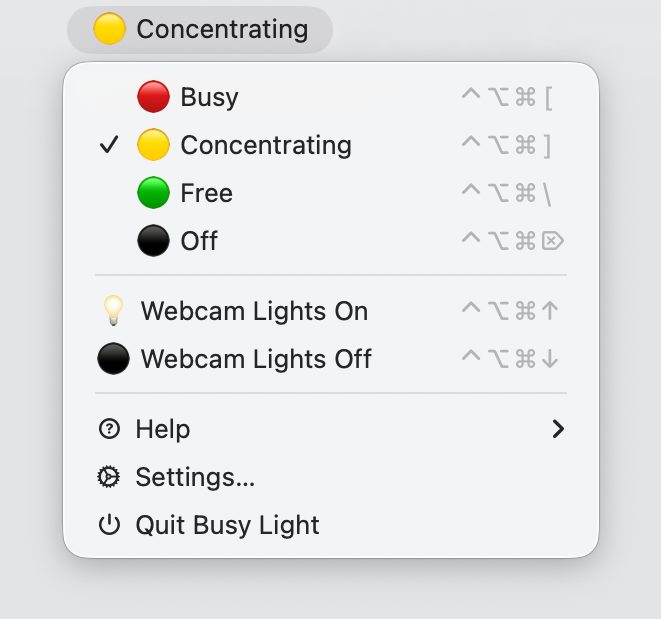
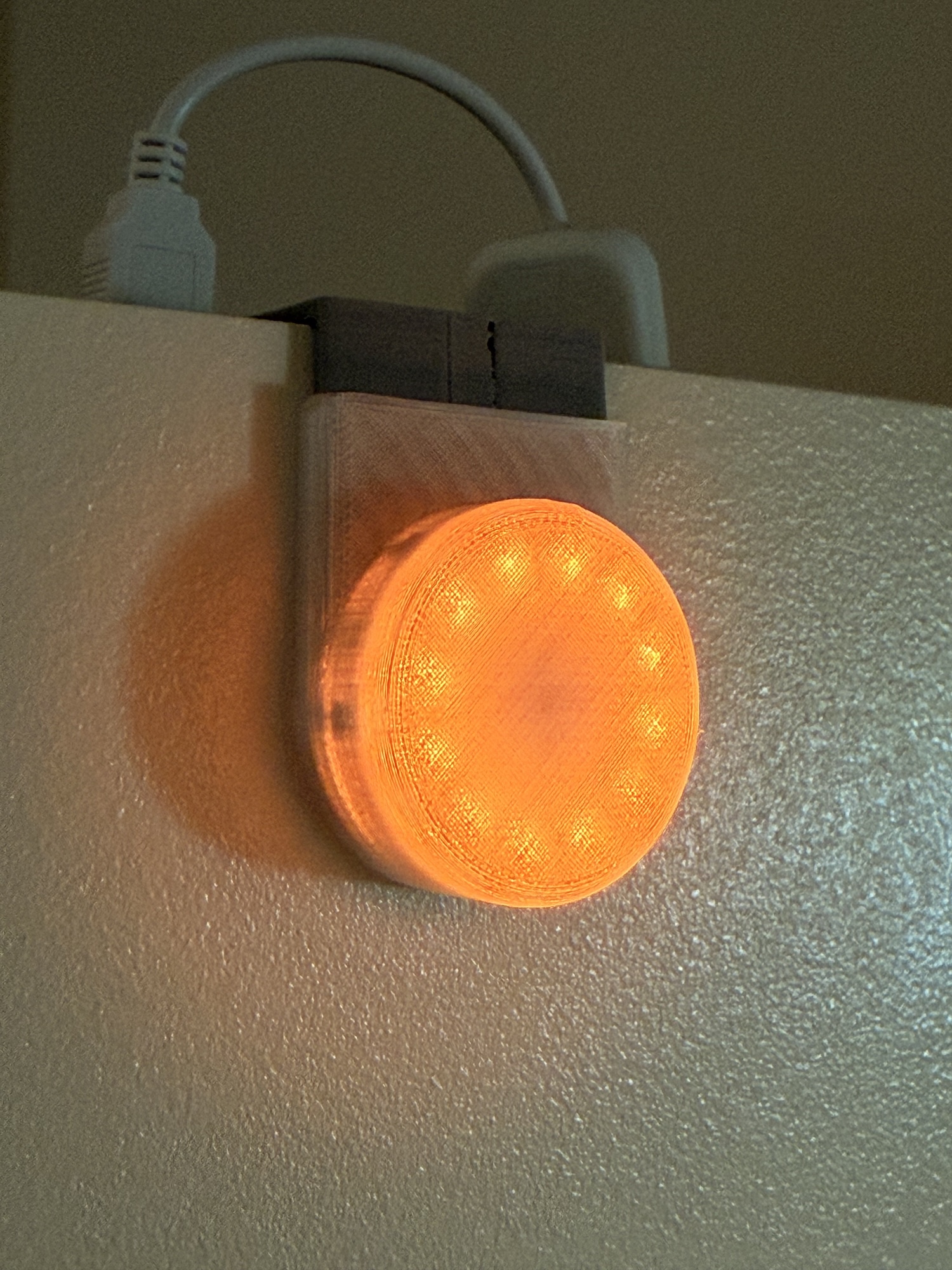
I’m exited to share the first public release of Busy Light, a little macOS menu bar app I built for myself: I wanted a door-mounted light outside my office that shows when I am concentrating, or automatically go red when I’m on a Zoom call. I also wanted to control it without leaving my keyboard.
It’s a Mac companion app that talks to Home Assistant over the REST API, lives in your menu bar and triggers whatever HA scenes you want.
Repo:
https://github.com/swizzlevixen/busylight
What it does
- Menu bar scene launcher — pick from the list of scenes from your Home Assistant, add them to the Scene list in the app to customize your own menu, and choose an emoji and display name to add to each. Shows the last activated scene in the menu bar.
- Automatic triggers — activate scenes automatically based on:
- 📷 Webcam on/off (works with Zoom, Teams, FaceTime, Meet, Discord — any app, no per-app setup)
- 🎙️ Microphone on/off
- 🔒 Screen lock / unlock
- 🎯 macOS Focus mode (experimental)
- Keyboard shortcuts — assign global hotkeys to any scene
- AppleScript + Shortcuts — activate scenes, query state, list scenes (experimental but working)
- HA token stored in Keychain, launch-at-login support, no dock icon
The hardware (optional, but fun)

https://github.com/swizzlevixen/busylight-hardware
The busy light
I designed this for is a little clip-on door indicator: WS2812 LEDs + ESP32 running ESPHome, in a 3D-printed enclosure, powered by a USB battery pack. Full hardware writeup is in the repo.
But the menu bar app works with anything you can put in an HA scene. An RGB bulb, a smart plug, a sign, a fan, whatever. The app doesn’t care, it just calls scene.turn_on.
Requirements
- macOS 14 (Sonoma) or later
- A Home Assistant instance + a Long-Lived Access Token
- At least one scene configured in HA
Download & Install
Download the latest release of the signed and notarized app:
https://github.com/swizzlevixen/busylight/releases/latest
Of course, you can also download the source and build it yourself. Instructions in the repo.
Known rough edges
- Focus mode detection reads from macOS internals and may break across OS versions.
- AppleScript/Shortcuts support is usable but still rough — bug reports appreciated.
Feedback welcome
This is a 1.0 public release and I’d love to hear:
- What hardware are you using for your busy light (or what you’d want to use)?
- Trigger sources you’d want beyond webcam/mic/lock/Focus?
- Things that you’d like to see available in AppleScript/Shortcuts?
Issues and PRs on GitHub, or comment here. Thanks for taking a look!